Singleton and Factory Design Patterns.
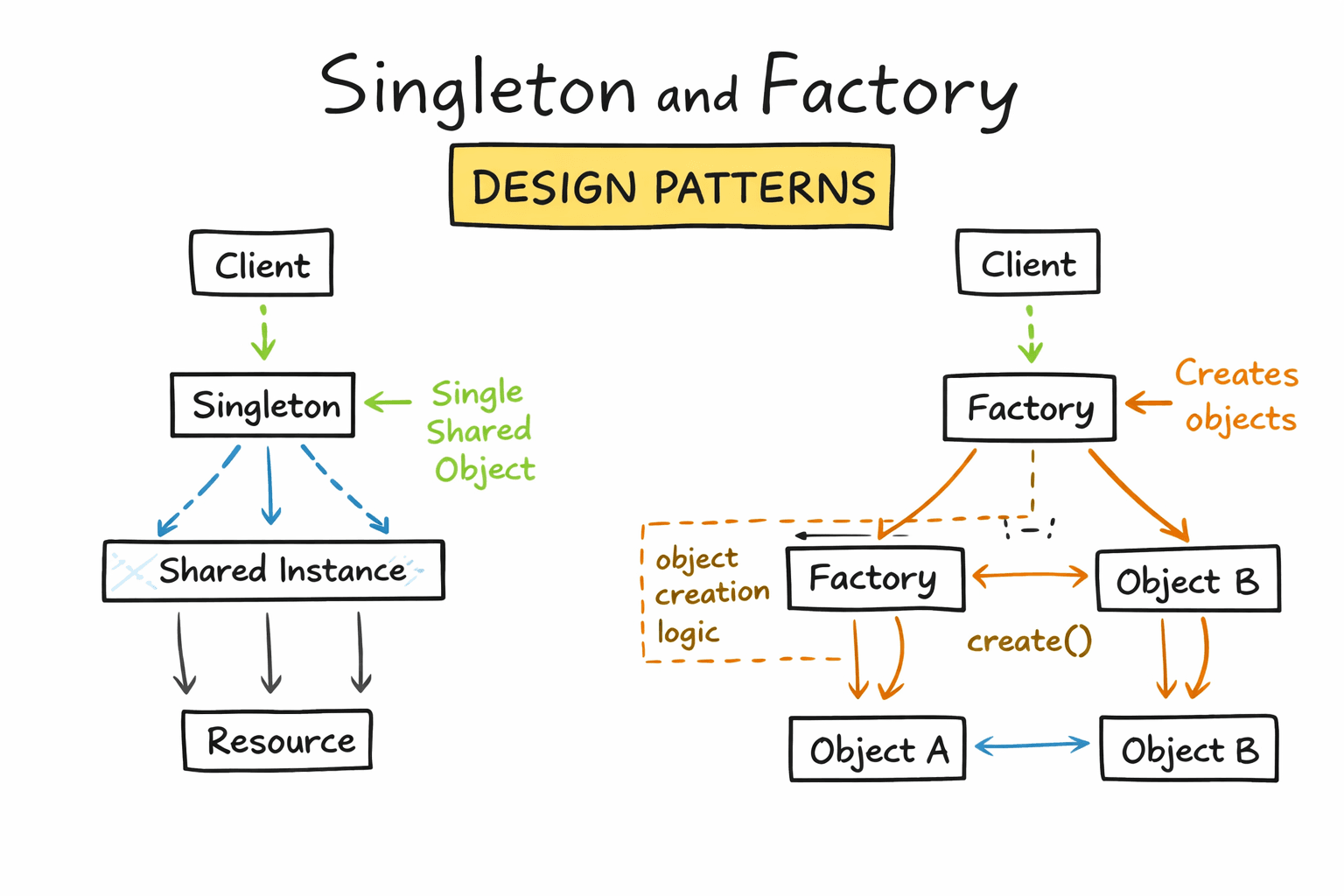
Design patterns are not academic concepts, they quietly run most real applications.
If you have ever reused a database connection, created services dynamically, or avoided messy if-else blocks, you have already used them.
In this post, we will understand Singleton and Factory patterns using real-world JavaScript examples you would actually write in production.
1. Singleton Design Pattern
The real problem
In real applications, some things must exist only once:
- Database connection
- Logger
- App configuration
- Redis client
- Metrics collector
Creating these multiple times leads to:
- Resource waste
- Inconsistent state
- Unexpected bugs
What Singleton actually does
Singleton ensures that only one instance of a class exists across the entire application.
No matter how many times you import or call it, you get the same instance.
Real-world example: Database connection (Node.js)
Imagine a backend server that connects to MongoDB or PostgreSQL.
❌ Bad approach (multiple connections):
export function connectDB() {
  return new DatabaseConnection();
}
Every import creates a new connection.
✅ Singleton solution
class Database {
  constructor() {
    if (Database.instance) {
      return Database.instance;
    }

    this.connection = this.connect();
    Database.instance = this;
  }

  connect() {
    console.log("Database connected");
    return {};
  }
}

const db = new Database();
export default db;
Usage anywhere in the app:
import db from "./database.js";

db.connection; // always the same connection
Why this works in the real world
- Prevents multiple DB connections
- Ensures consistent application state
- Saves memory and system resources
Another common Singleton: Logger
class Logger {
  static instance;

  constructor() {
    if (Logger.instance) {
      return Logger.instance;
    }
    Logger.instance = this;
  }

  log(message) {
    console.log(`[LOG]: ${message}`);
  }
}

export const logger = new Logger();
Now your entire app logs in a unified way.
When to use Singleton
✅ Use when:
- You need a single shared resource
- State must be globally consistent
❌ Avoid when:
- You need multiple independent instances
- You want easy unit testing without mocks
2. Factory Design Pattern
The real problem
Consider this real scenario:
You are building a payment system that supports:
- Credit Card
- UPI
- Wallet
A naive approach looks like this:
if (method === "card") payWithCard();
else if (method === "upi") payWithUPI();
else if (method === "wallet") payWithWallet();
This becomes:
- Hard to maintain
- Painful to extend
- Error-prone as features grow
What Factory actually does
Factory centralizes object creation logic and hides complexity from the client.
You ask for what you need. The factory decides how to create it.
Real-world example: Payment gateway factory
Step 1: Common interface (conceptual)
class Payment {
  pay(amount) {
    throw new Error("Method not implemented");
  }
}
Step 2: Concrete implementations
class CardPayment extends Payment {
  pay(amount) {
    console.log(`Paid ₹${amount} using Card`);
  }
}

class UPIPayment extends Payment {
  pay(amount) {
    console.log(`Paid ₹${amount} using UPI`);
  }
}

class WalletPayment extends Payment {
  pay(amount) {
    console.log(`Paid ₹${amount} using Wallet`);
  }
}
Step 3: Factory
class PaymentFactory {
  static createPayment(method) {
    switch (method) {
      case "card":
        return new CardPayment();
      case "upi":
        return new UPIPayment();
      case "wallet":
        return new WalletPayment();
      default:
        throw new Error("Invalid payment method");
    }
  }
}
Step 4: Client code
const payment = PaymentFactory.createPayment("upi");
payment.pay(500);
Why this pattern shines in production
- Business logic stays clean
- New payment methods are easy to add
- No changes needed in existing client code
Tomorrow, adding NetBanking is trivial.
Factory in frontend apps
Factories are common in frontend too:
- Component creation
- Theme handlers
- API client selection (REST / GraphQL)
Example: API client factory
class ApiFactory {
  static getClient(type) {
    if (type === "rest") return new RestClient();
    if (type === "graphql") return new GraphQLClient();
  }
}
These patterns exist because applications grow:
- Singleton protects shared resources
- Factory keeps your code open for growth
They are not mandatory, but when used correctly, they reduce bugs, improve clarity, and make systems easier to extend.
Once you start noticing them, you will see them everywhere.
Stay in the loop.
Receive technical deep-dives and architectural insights directly in your inbox.
NO_SPAM // NO_TRACKING // 0_COST